Web and product

WordPress built like software, not like a pile of plugins.

Custom WordPress sites and WooCommerce stores, rescue work on installations that turned slow or fragile, and migrations that don’t cost you your rankings. With one rule: the fewer plugins, the more stable the site.

Where it starts and where it ends
We do
· Custom themes, without heavy page builders. · WooCommerce stores with real catalogues. · Rescue of inherited installations. · Migrations with redirects and SEO control.
We don’t
· Install plugins until something works. · Edit directly on the production site. · Hold hosting or domains in our name.
We work on our own installations and on inherited ones. If another team built the site, that is not a problem: it is audited before anything is touched.
At a glance

TouringXX builds and maintains WordPress sites and WooCommerce stores with a software mindset: custom themes, few plugins, a staging environment and controlled updates. It is built for companies already on WordPress that need it to stop being fragile, and for teams who choose the platform for editorial autonomy. The expected outcome is a site the team can edit without fear and that doesn’t break on every update.

Most WordPress problems aren’t WordPress problems

A site that is slow, insecure or breaks on update almost never fails because of the CMS. It fails through accumulation: thirty plugins installed over the years, a purchased theme with features nobody uses, changes made directly on production and no recent backup.

Well-built WordPress is a solid foundation: it powers an enormous share of the web and gives the editorial team real autonomy. The work lies in deciding what gets installed and what is solved with our own code.

Custom theme WooCommerce Technical rescue Migration Multilingual Staging environment
Who it’s for

Companies already living on WordPress that need it to work.

Companies with an inherited site. Another team built it, it half works and nobody knows what can be touched without breaking it.
WooCommerce stores that grew. The catalogue multiplied and the store takes too long to load categories and checkout.
Teams that publish content often. They need to edit without depending on a developer for every change.
Businesses changing platform. They arrive from another CMS and don’t want to lose the ranking they already have.
When WordPress is not the answer. If what you need is an application with its own business logic, users with complex permissions or deep integrations, forcing WordPress gets expensive. In those cases we propose custom development, and we say so before quoting.
Common situations

Signs the installation needs work

Nobody updates the plugins for fear the site will stop working.
There are more than twenty active plugins and several unupdated for years.
Changes are made directly on the live site, with no prior backup.
The store takes several seconds to open a category with many products.
The theme was purchased and ships features never used that still load.
There is no recent backup that anyone has tested restoring.
Scope

Four ways in

Most projects start with the rescue and continue with maintenance. The other two are starting points when the site is built from scratch or the platform changes.
Visual pendingreal screenshot · home
Route 01

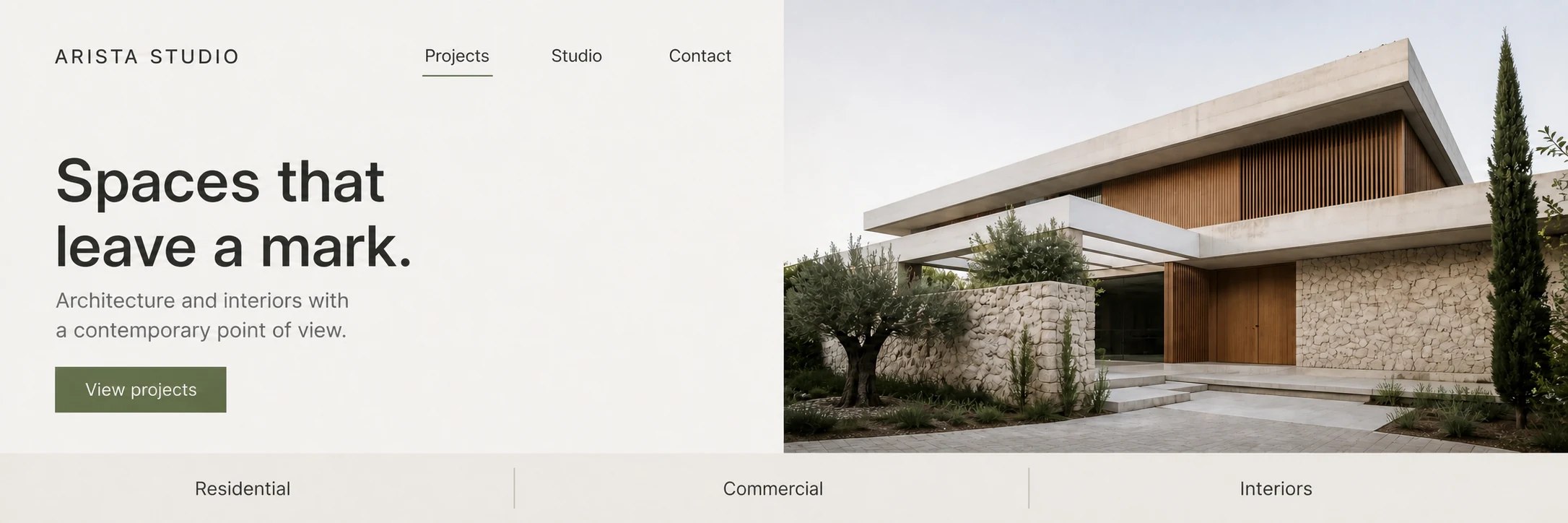
Custom site

· Own lightweight theme · Block editor configured · Custom fields per section · Structure built for SEO · Multilingual Spanish and English
Visual pendingreal screenshot · catalogue
Route 02

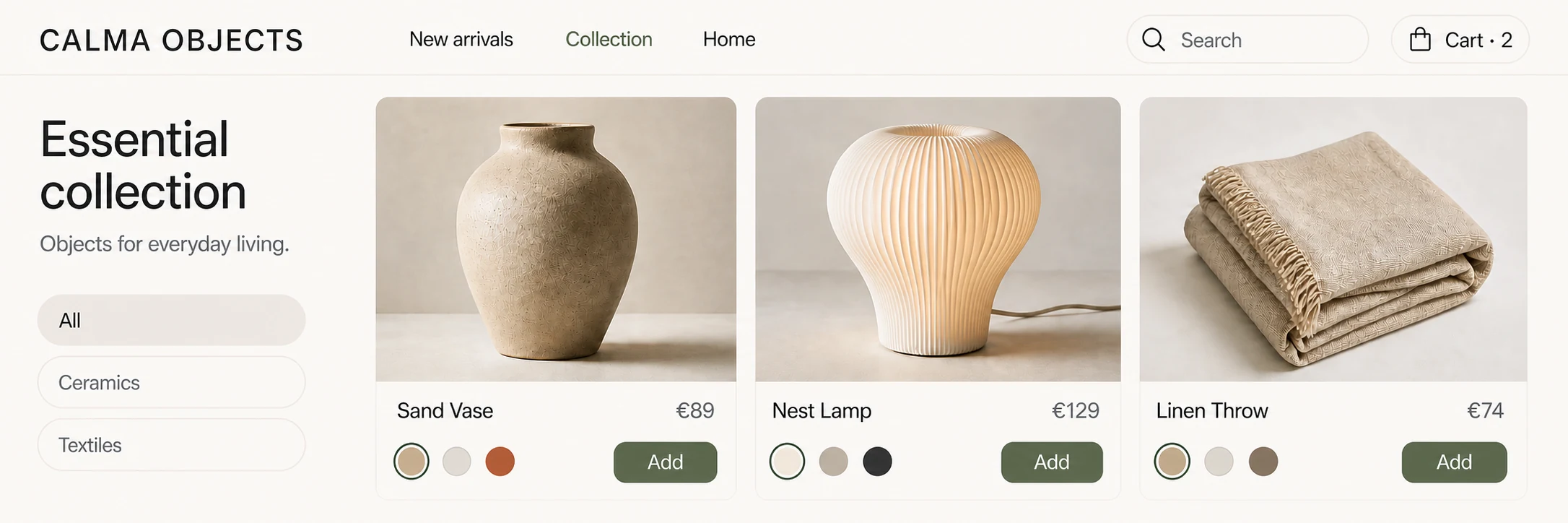
WooCommerce store

· Catalogue with variants · Checkout adjusted per country · Shipping and taxes configured · Local payment gateways · Tidy order panel
Visual pendingreal screenshot · audit
Route 03

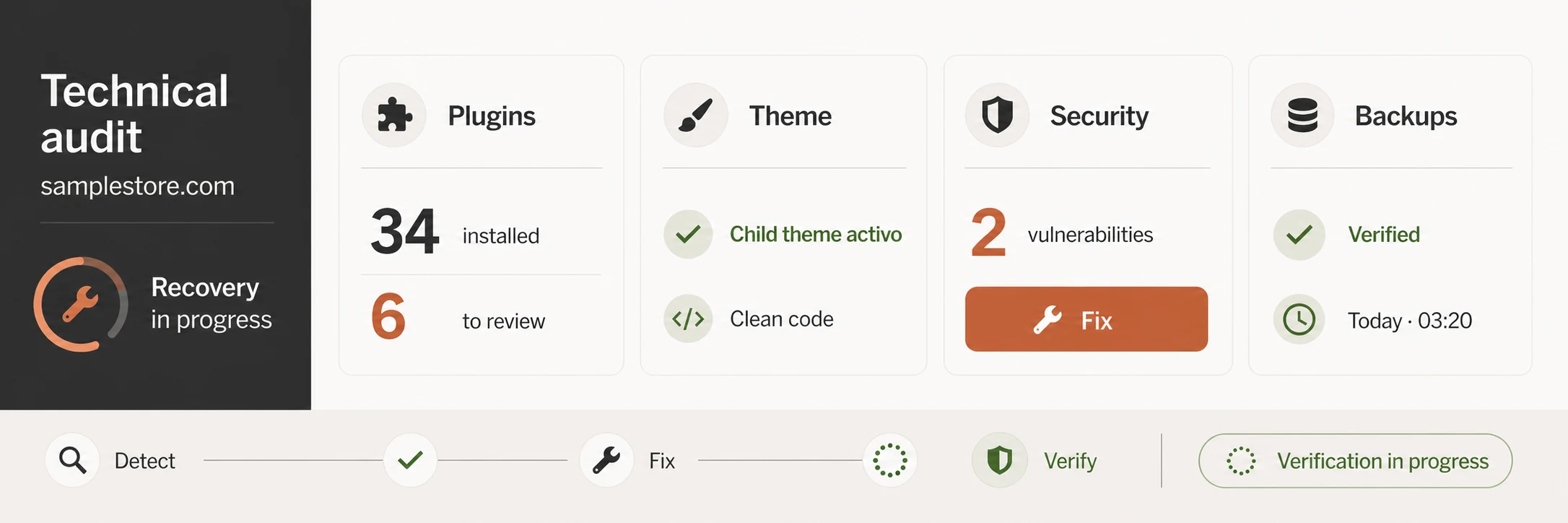
Technical rescue

· Plugin and theme audit · Dead code cleanup · Vulnerability fixes · Verified automatic backups · Installation documentation
Visual pendingreal screenshot · redirects
Route 04

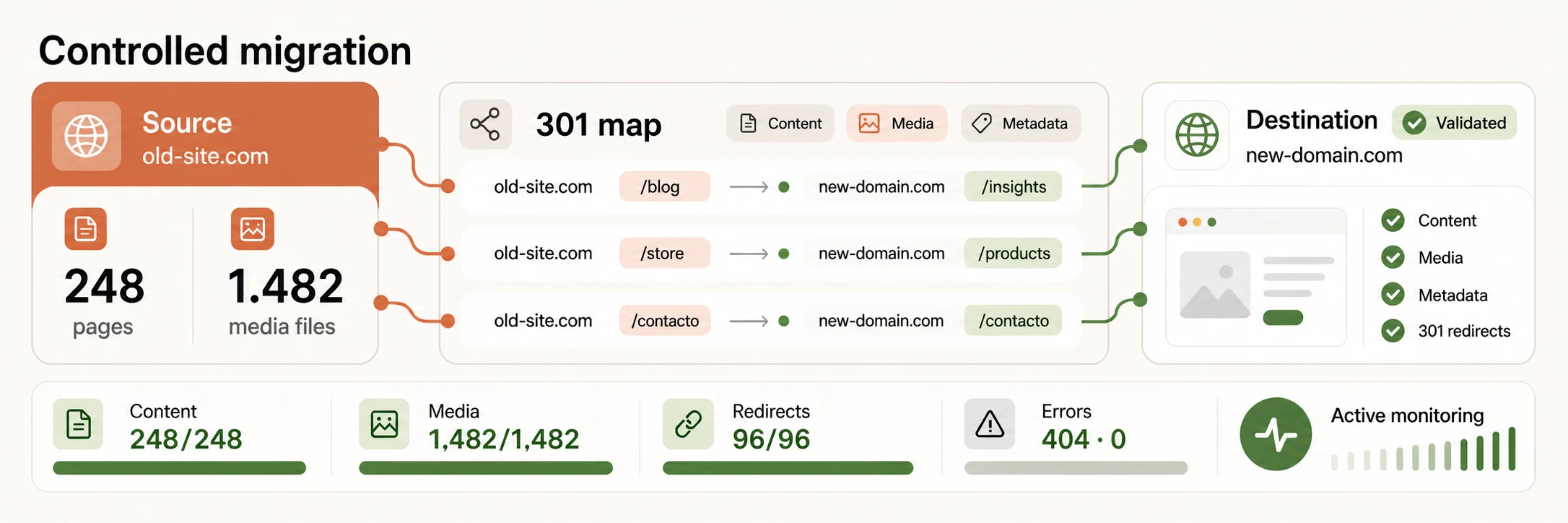
Migration

· Content and media transfer · 301 redirect map · Metadata preservation · Hosting or domain change · Post-launch monitoring
Technical criteria

When we install a plugin and when we write code

Every plugin is third-party code that has to be updated, that may be abandoned and that sometimes clashes with another. Installing it is sometimes the right call — nobody should rewrite a forms system — and sometimes it is technical debt disguised as a shortcut.

The rule we apply is simple: the more central the function is to the business, the less we depend on somebody else’s plugin to solve it.

Decision rule Four questions before installing
01 Is it a core business function?
If the site depends on it to sell or to operate, we solve it with our own code that we can maintain.
02 Who maintains it, and how often?
A plugin without recent updates is a security risk, however good it is today.
03 What load does it add on every visit?
Many plugins load scripts on all pages even when used on one. That is measured before installing.
04 What happens the day we uninstall it?
If removing it leaves the content unusable, you are choosing a dependency that is hard to reverse.
Your site’s plugin list is delivered documented: what each one does, who maintains it and what would happen if it were uninstalled.
WooCommerce

A store that holds up under a real catalogue

WooCommerce works well until the catalogue grows, variants by size and colour are added, and checkout has to calculate different shipping and taxes per country. That is where a poorly built store starts taking six seconds to load a category.

Catalogue and variants

Products with sizes, colours or combinations are structured so filtering doesn’t have to scan the whole database.

Checkout per country

Taxes, shipping and payment methods change per market. They are configured together, not as successive patches.

Catalogue performance

Queries, cache and images are tuned so categories with hundreds of products open fast.

A usable order panel

The team that ships needs to see what matters without going through five screens per order.

Common integrations
Local payment gateways Per country
Electronic invoicing Per country
Logistics operators Bespoke
ERP or stock management Bespoke
Email marketing and CRM Standard

The available payment gateways depend on the billing country. They are confirmed at the start, because they shape a good part of the checkout.

Migrations

Changing sites without losing what already works

The real risk of a migration is not technical: it is losing traffic that took years to build. These are the tasks that prevent it, and none of them is optional.

TaskWhy it mattersWhen
Inventory of current URLs Without the full list you don’t know what you are losing. Before
301 redirect map Every old address must lead to its new equivalent. Before
SEO metadata transfer Titles and descriptions that already rank are preserved. During
Internal link review Links pointing to old addresses are updated. During
Full backup of the previous site It allows going back if something appears days later. Before
404 monitoring Whatever escaped the map shows up in the first days. After

After the change there is a usual dip in traffic while search engines reprocess the site. It is monitored over the following weeks and whatever appears is fixed; promising there will be no variation at all would be untrue.

Results

What changes after the work

Almost everything verifiable has to do with stability and with the team’s autonomy. Speed improves nearly always, but by how much depends on the starting point.

Updates without drama

With a staging environment and fewer dependencies, updating stops being a risky operation.

A smaller attack surface

Every plugin removed is one fewer way in for a security problem.

Editorial team autonomy

Publishing and editing no longer needs a developer for every content change.

Faster loading

Removing unused code usually improves times visibly, depending on the starting point.

A documented installation

What each piece does is written down, so the next team doesn’t start blind.

The ability to leave

Access, domain and hosting in the client’s name: changing vendor needs nobody’s permission.

How we work this service

Nothing is touched directly on production.

Every change goes first through a staging environment identical to the real site. It sounds obvious and it is the practice most often missing in the installations we receive.

01 Audit

The full installation is reviewed: plugins, theme, versions, backups, security and performance.

Recibes: report with priorities
02 Staging environment

An identical copy of the site is set up where every change is made and validated.

Recibes: access to the staging environment
03 Intervention

The agreed work — cleanup, development or migration — is carried out with the live site uninterrupted.

Recibes: changes applied and verified
04 Go live

Published in an agreed window, with a prior backup and a documented rollback plan.

Recibes: site published and documentation
Access and ownership. Hosting, domain and accounts stay in the client’s name from day one, with full access. We don’t work with infrastructure in our name: if tomorrow you decide to change provider, the site goes with you with nothing to negotiate.
Service: WordPress & WooCommerce

“touringxx helped us update the WordPress theme, transfer the content and apply our site styles. All done with high quality and efficiently. We highly recommend touringxx.”

4M
4Mativ · Client review
Original wording · source: Envato Studio
What can be claimed

Stability is sustained by maintenance; it is not a permanent state.

A site that is tidy today degrades again if nobody reviews the updates or controls what gets installed. That is why delivery includes documentation and a maintenance plan: without that, the rescue lasts until the next plugin installed in a hurry.

View all testimonials
Frequently asked questions

Common questions about WordPress and WooCommerce

Almost all of them circle the same thing: whether to rescue or rebuild, and who controls the site afterwards.

Is it better to rescue the current site or rebuild it?+
The audit answers that with data, not intuition. If the theme is custom and reasonably written, rescuing is almost always better. If it is a purchased theme with years of patches on top, rebuilding usually costs less than fixing. We say so with the report in hand, not before looking.
How many plugins are too many?+
There is no magic number: what matters is what each one does and who maintains it. That said, an installation with more than twenty active plugins almost always has duplicated, abandoned or easily replaceable functions.
Can we edit the site ourselves?+
Yes, and that is part of the goal. The site ships with the editor configured so each section can be modified without touching code and without accidentally breaking the layout. A short editing guide is included.
Do we lose rankings when migrating?+
There is a usual dip while search engines reprocess the site, and it typically recovers within weeks if the prior work is done properly. What prevents a real loss is the redirect map and the metadata transfer. Promising zero variation would be dishonest.
Do you work on sites built by another team?+
Yes, that is the most frequent case. There is no need to explain why the site is as it is: it is audited, documented and a plan proposed. The previous team doesn’t need to cooperate, though code access helps.
Do you buy the hosting?+
We recommend a provider per case, but the account is opened in the client’s name with their details. We work with delegated access. It is a deliberate decision: nobody should depend on their agency to reach their own site.
Do you build sites in Spanish and English?+
Yes. Multilingual support is defined from the start, because it conditions the URL structure, the translation system and the later editorial work. Adding it afterwards always costs more than planning for it.
What happens after delivery?+
Without maintenance, a tidy installation degrades again. We offer a maintenance plan with controlled updates and verified backups; if you would rather run it in-house, the documentation delivered is enough to do so.

Services that usually go with it

A rescued site needs to stay rescued: that is sustained with maintenance and measurement.

To go deeper

Platform decisions explained without taking sides in advance.

Also available in AI Hub

Prepare and publish content without leaving the environment

Depending on the setup, AI Hub can connect to WordPress and other team tools to prepare copy, images and product content, and publish from the platform.

The site, its templates, integrations and maintenance remain part of this service.

Explore AI Hub
Related areas in the platform
10Files and integrations
02Text and productivity
03Image, design and photography
07Social media and marketing

Give us read-only access and we’ll tell you what your site is running.

With a read-only user we review plugins, theme, versions, backups and performance, and return a report with what needs fixing and in what order. Whether or not it leads to working together, the report is yours.