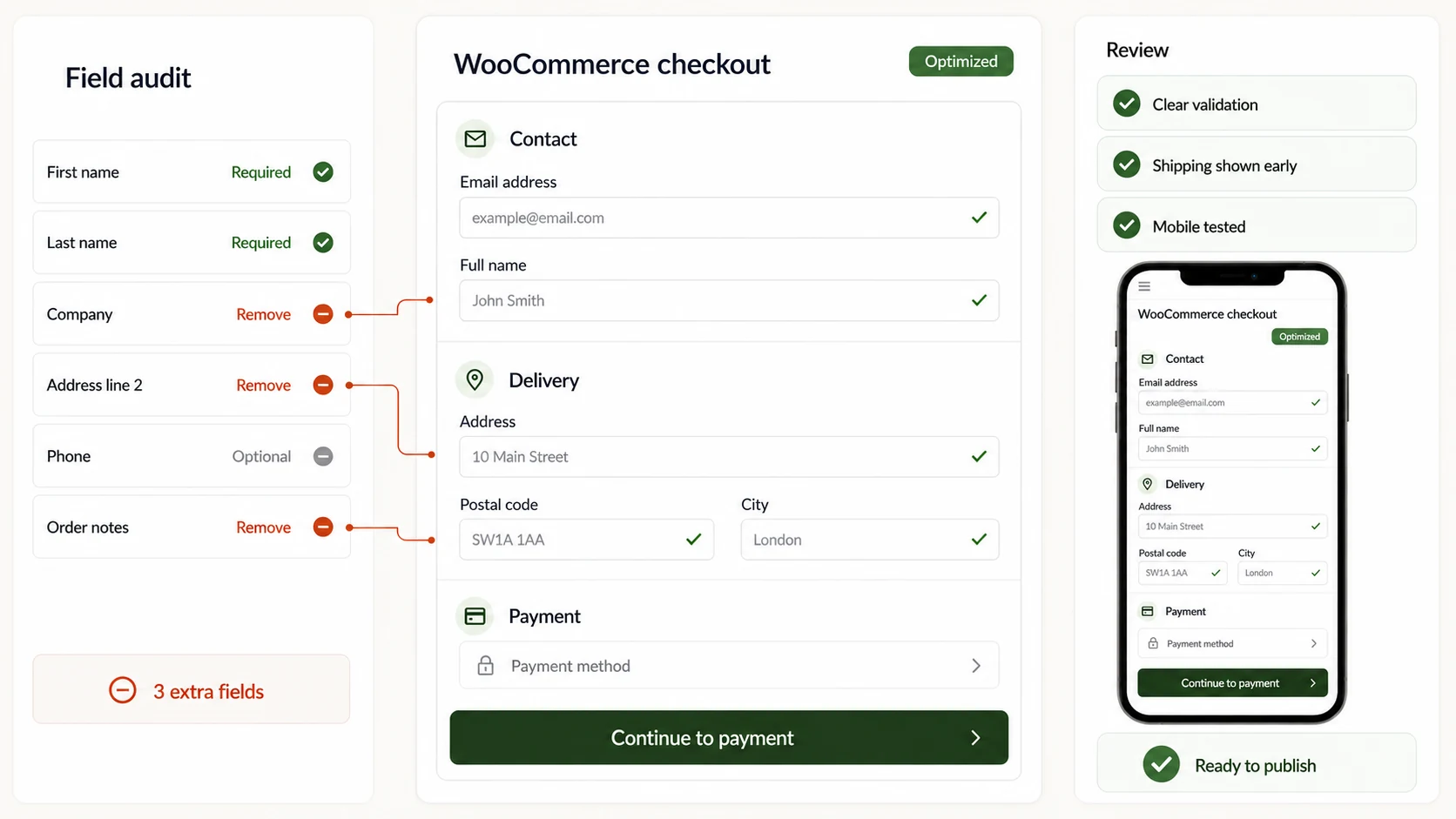
Remove every field that doesn’t appear on the shipping label or the invoice, show the shipping cost before the form, validate as people type instead of on submit, and complete a real purchase from a throttled phone. Most abandonment comes down to those four things, not to the design.
Most WooCommerce checkout abandonment comes down to four causes: unnecessary fields, shipping costs that only appear at the end, badly communicated validation errors, and poor performance on mobile over a real connection. None of them is fixed by redesigning: they are fixed by removing steps, calculating shipping earlier and testing the form on a mid-range phone.
A cart abandonment and a checkout abandonment are not the same thing. The first is normal: people compare, save, come back. The second hurts, because whoever started filling in the form had already decided to buy.
Where is a sale actually lost?
At four specific moments. We list them in the order they happen, which is usually also the order in which they are worth fixing.
1
Seeing the total with shipping
If the shipping cost appears for the first time at the last step, the price expectation breaks. It is the most frequent cause and the cheapest to correct.
2
Facing the form
A fourteen-field form looks like paperwork. A six-field one looks like a step. The perception of effort is decided before the first letter is typed.
3
Hitting a validation error
An error that appears on submit, without saying which field or why, forces a review of everything. Many people don’t: they close the tab.
4
Paying
Gateways that open a window, don’t return properly, or lose the order if the user goes back. It is the least frequent failure and the most expensive.
Which fields don’t belong in your form?
Almost all the ones that don’t appear on the shipping label or the invoice. The rule is simple: if nobody is going to use that data this week, don’t ask for it at checkout.
Company
Asked for unnecessarily
Mandatory for everyone, private customers included.
What to do instead
Optional, or shown only if “I need an invoice” is ticked.
Second address line
Asked for unnecessarily
A separate field, always visible.
What to do instead
An “add flat, door or landmark” link that reveals the field.
Phone
Asked for unnecessarily
Mandatory without explaining what for.
What to do instead
Mandatory only if the carrier requires it, with that reason written beside it.
Create account
Asked for unnecessarily
A prerequisite for buying.
What to do instead
Guest checkout, offering the account after payment with the details already filled in.
Left column: Asked for unnecessarily. Right column: What to do instead.
Every field you remove is a sale you don’t lose. That’s not a metaphor — it’s measurable, field by field.
The principle we apply when reviewing any checkout.
Why does mobile convert worse?
Rarely because of the design. Almost always because of three technical details that don’t show on the developer’s desktop.
The wrong keyboard
A phone or postcode field that opens the alphabetic keyboard forces a mode change for every entry. It is fixed with the correct field type, in one line.
Small, crowded touch targets
Twenty-pixel checkboxes glued to the legal text. Minimum 44 pixels high and enough separation not to tick the wrong thing.
It gets tested on office wifi
Checkout loads in one second at the studio and in seven on a real mobile connection. It has to be tested on a throttled network and on a mid-range phone, not the latest model.
What to check before touching the design?
A working order that avoids paying for a redesign only to discover afterwards that the problem was a misconfigured gateway.
1
The data you already have
At exactly which step people drop off. WooCommerce and analytics will tell you; without that data, any change is a bet.
2
The full journey on a real phone
All the way to the end, paying for real, on a throttled network. Half an hour that usually finds more than a week of analysis.
3
The follow-up emails
A confirmation that doesn’t arrive or lands in spam: the order is fine but the customer thinks it isn’t, and calls, or asks for a refund.
4
The plugins involved
Every plugin that touches checkout is a point of failure and of weight. Counting how many there are is usually uncomfortable.
What to do next
Four checks you can run this week
How many required fields does your checkout have?
At which step does the shipping cost appear for the first time?
Have you completed a real purchase from a phone, on mobile data?
· Checkout reviews carried out by the team on WooCommerce stores.· Official WooCommerce documentation on fields and gateways.· No abandonment percentages from general studies: they vary too much by sector to be useful.
Use of AI, and history
Draft structured with the help of a model; the errors described come from real reviews and were verified by hand. Signed: the TouringXX editorial team, with the people who worked on the projects cited.
History: v1.1 — the recommendation on the phone field was corrected: it is required by some carriers.
We use technologies that are necessary for the site to work and, with your permission, analytics to understand how it is used and improve the experience.